
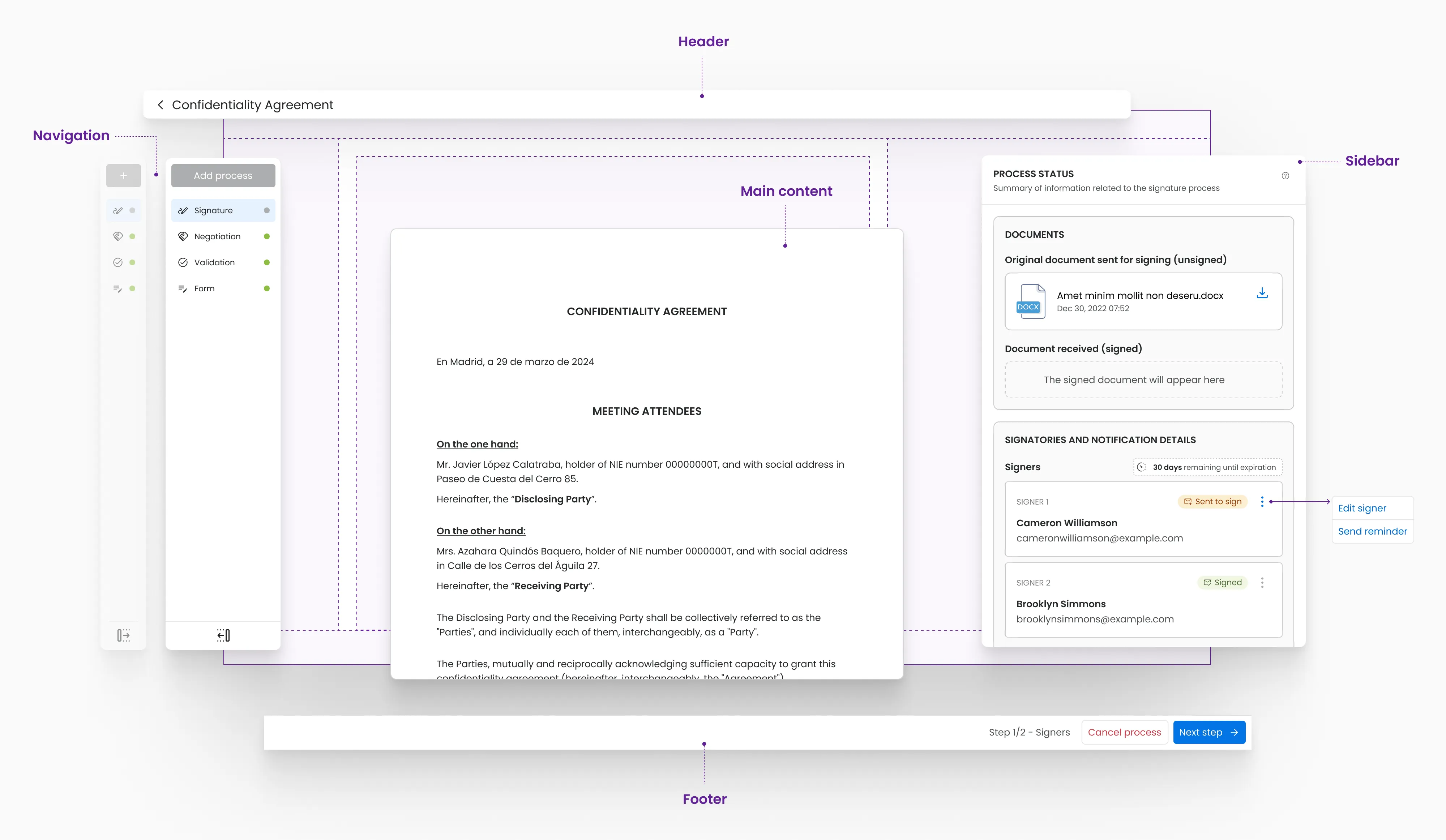
Bigle Sign is a digital-signature feature built into Bigle Legal, a SaaS for legal documentation. Until then, users could create and manage documents but couldn't close the loop when a signature was required.
As Product Designer I designed the full integration into the existing product — its place in current flows and screens, plus everything needed to send, manage and complete a signing process.
The platform had a diverse client base. Although most belonged to the legal field, there were also banks, real-estate firms, software companies and other corporate departments. This meant the process had to adapt to different types of documents, users and ways of working.
The document flow was made up of several stages. Once a document was created and prepared, the user could start the signing process by adding one or more signers, entering their data and sending them a request. Each signer could accept and sign the document, or reject it stating the reason — in which case the process was halted.
The challenge: design this new stage without breaking the existing flow.
We had to define how signers were added, what information each one required, how the process status was communicated, and how both signing and rejection were handled — keeping a clear experience across diverse profiles and scenarios.
Phase 1 · The product incorporates signing and lets you complete the document flow inside the platform.
Phase 2 · Components evolve to support more positions, reminders and clearer, understandable states.
Phase 3 · The flow adapts to roles, signing orders and tasks that used to be entirely manual.
As Product Designer, I was responsible for designing the signing experience end-to-end and integrating it into the existing product. I worked closely with the development team and the Product Owner throughout the whole process, taking part in a coordinated way in the definition and evolution of the feature.
Feedback was gathered in collaboration with the Sales, Customer Success and Legal Intelligence departments, which brought in information from clients, prospects and training sessions. This feedback made it possible to identify recurring needs and understand which scenarios had to be solved first.
Together with the Product Owner and the CTO, we decided the prioritisation of features and the scope of each project phase. My responsibility covered the design of the flows, the integration of the feature within the platform, the interface design and the definition of a coherent experience — balancing user needs, technical constraints and product goals.
Not just the simplest feature — fitting a complete process into an existing platform: understandable, consistent, stable. Behind a simple flow (add signers → enter data → position → status) sat real integration work.
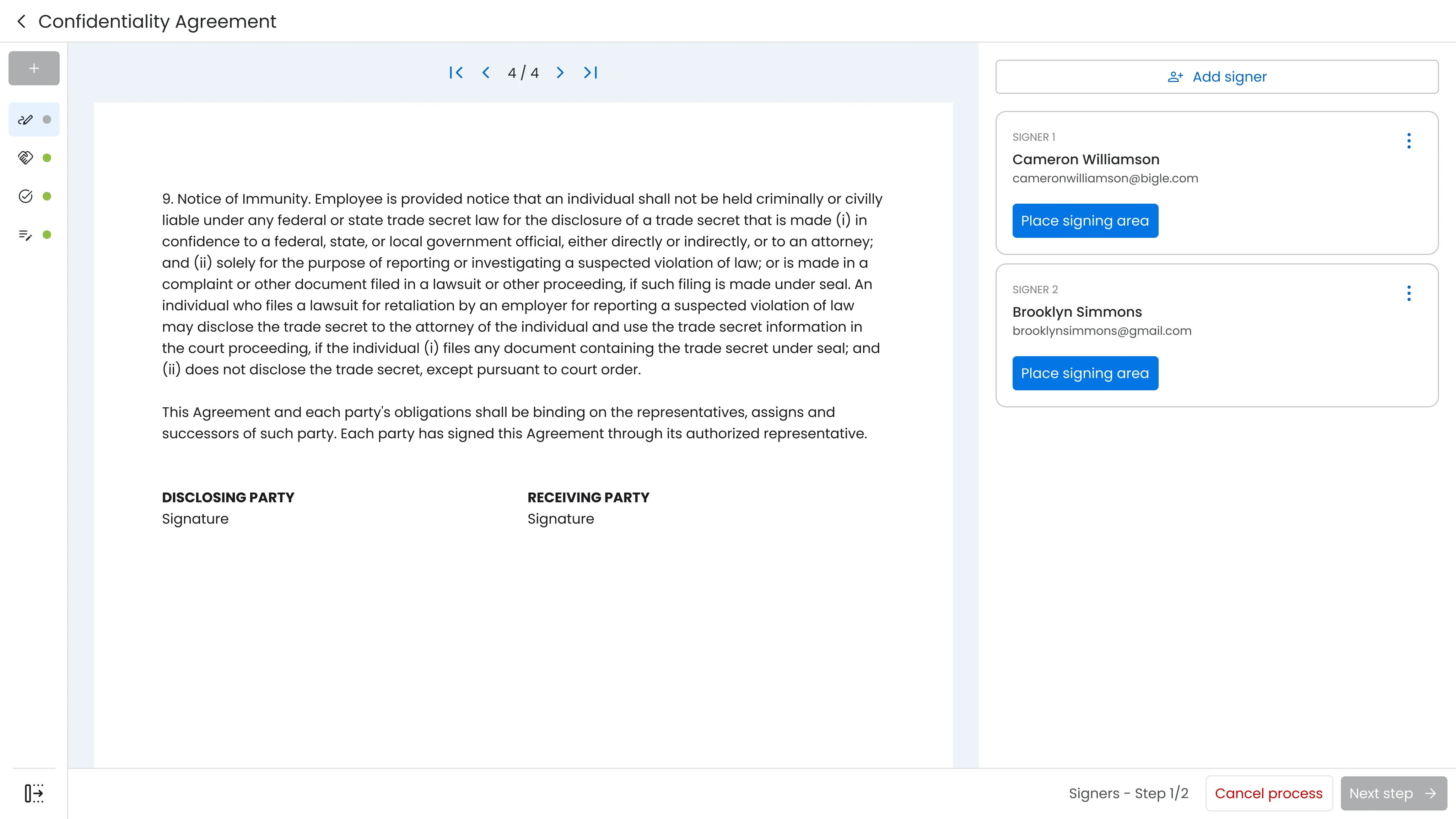
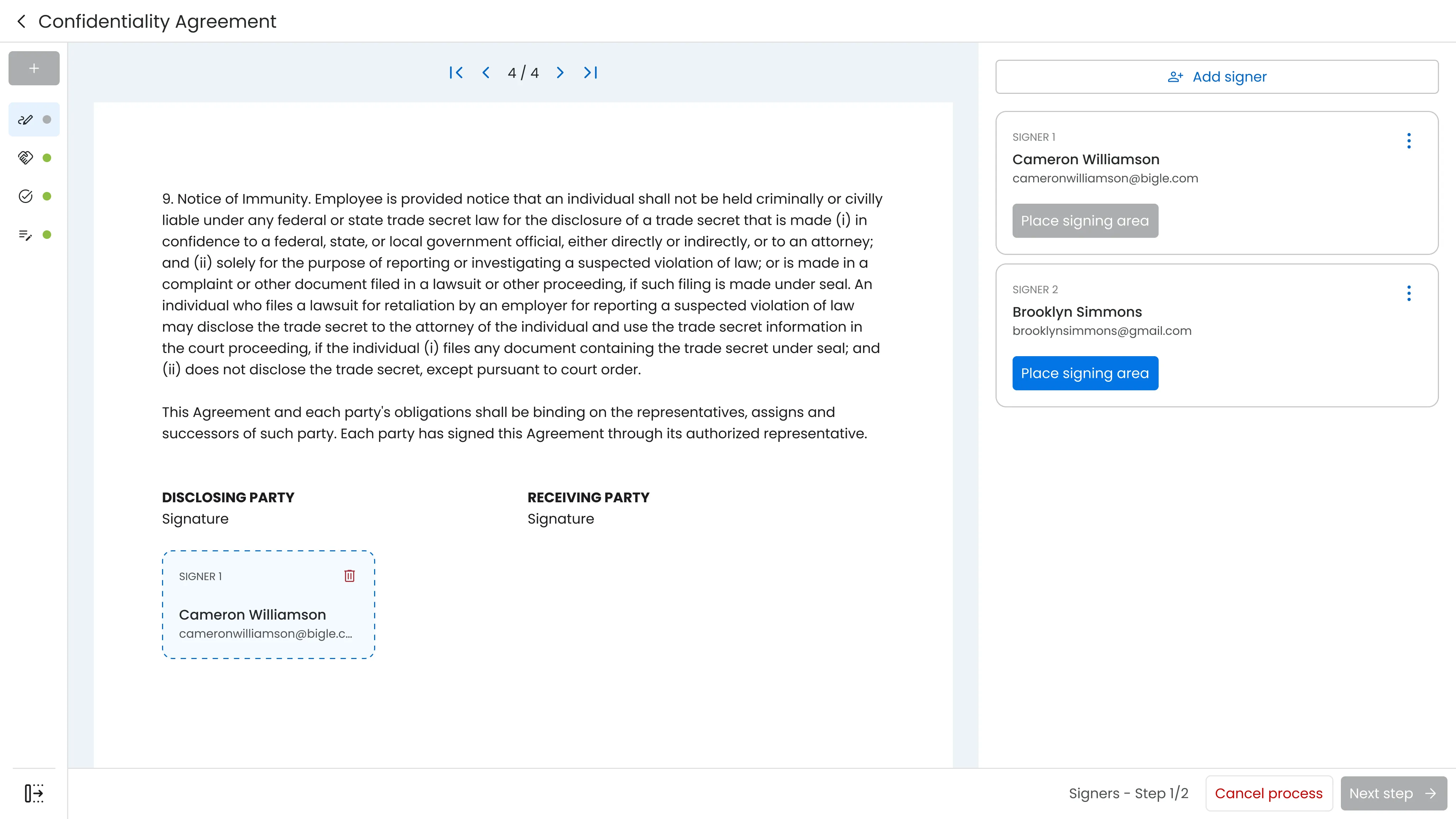
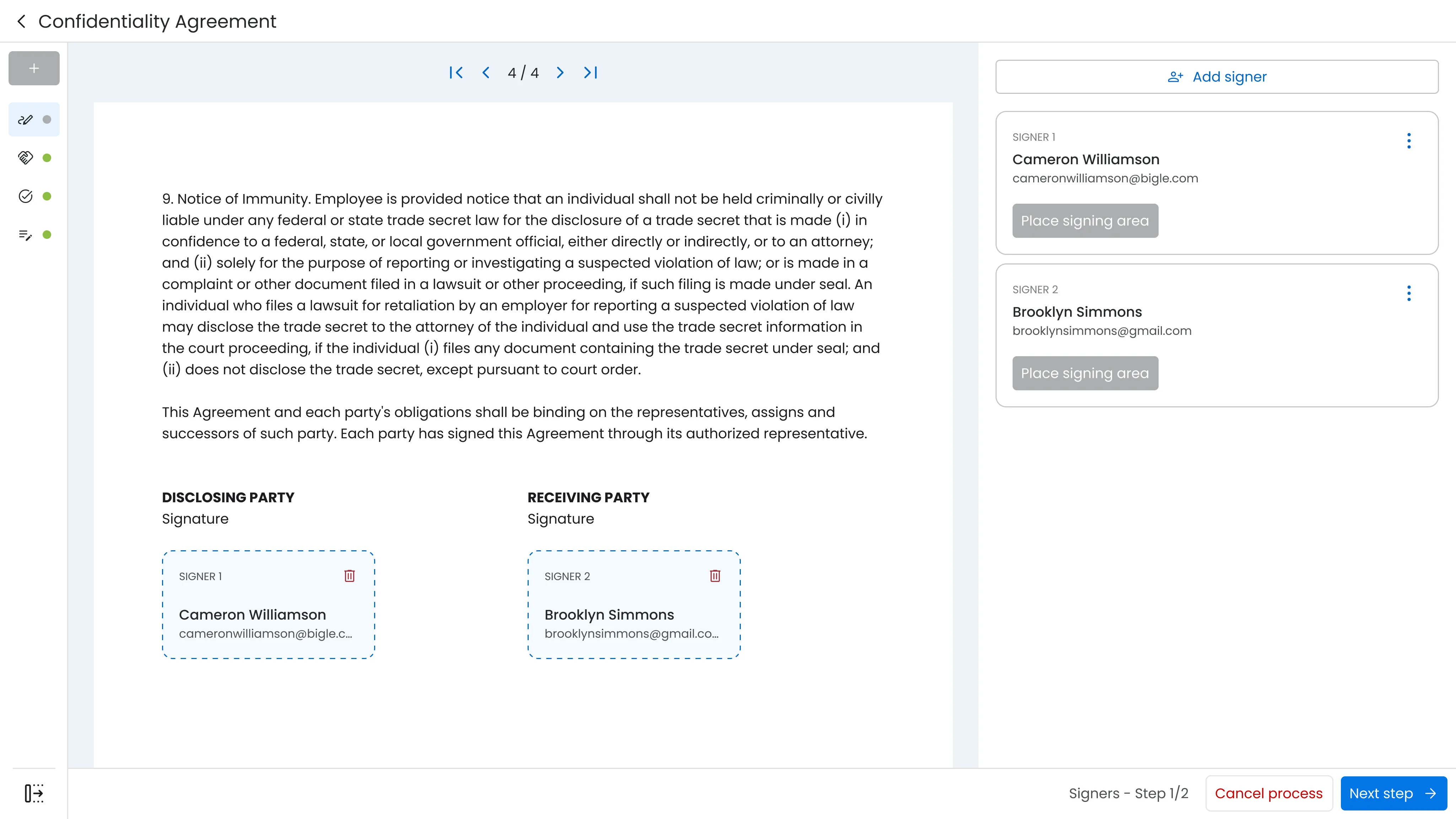
MVP · add signers, place signing areas, check process status
Real usage pushed the components further. The signer card evolved to hold several signatures at once — sign once, appear everywhere — with a counter and a single way to clear them, keeping the pattern people already knew. The same logic reached roles and sending: signer or supervisor, sequential or parallel, plus saved rubrics and auto-filled signers to cut repetitive work.
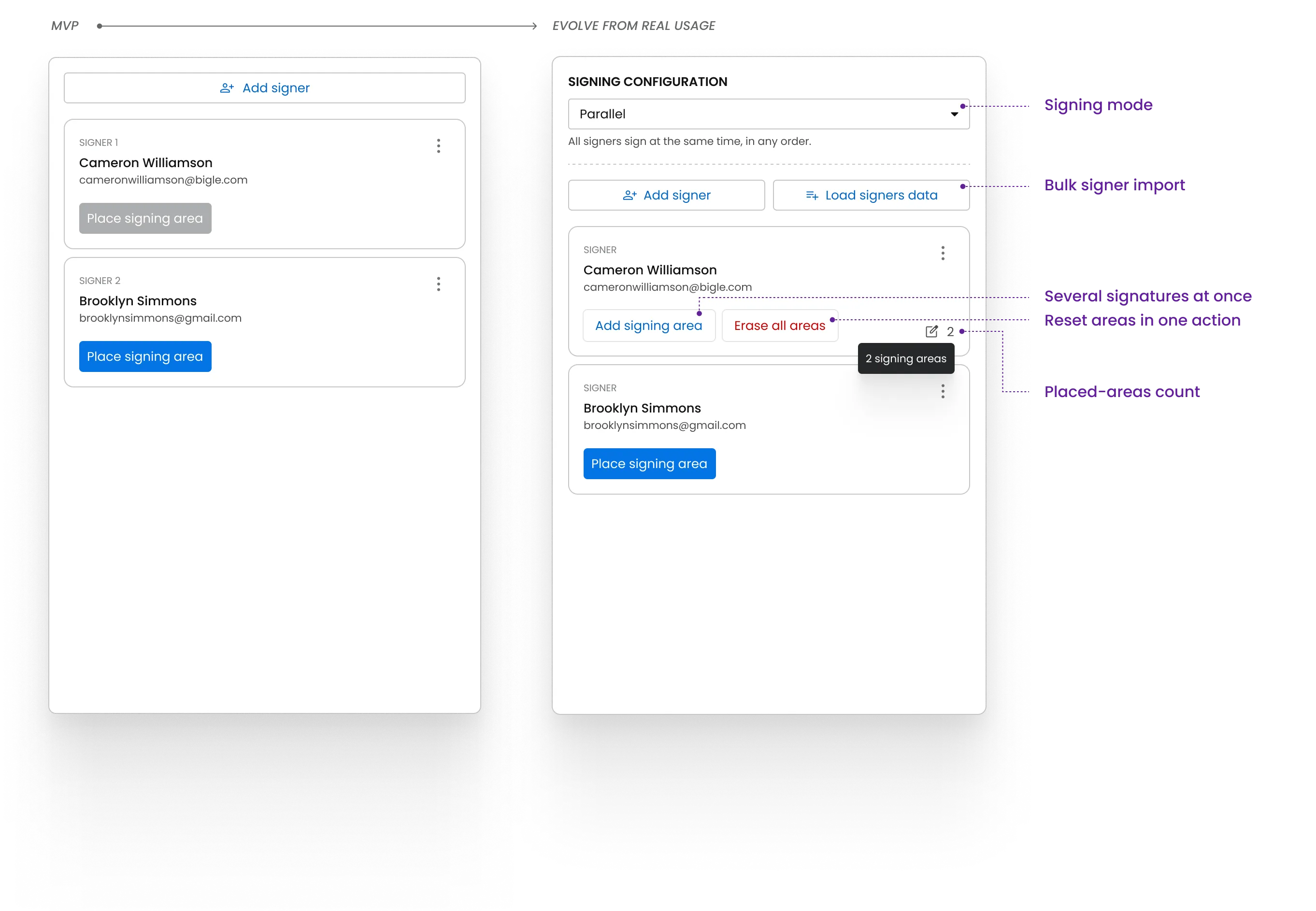
Signer card · from a single signature to multiple areas with counter + global erase
For someone used to paper, trust comes from seeing what happens — not from the signature itself. So the whole process is trackable: each signer's progress in real time, who signs versus who only observes, and every step recorded in an auditable trail. Expiry, reminders and clear document states keep it under control.
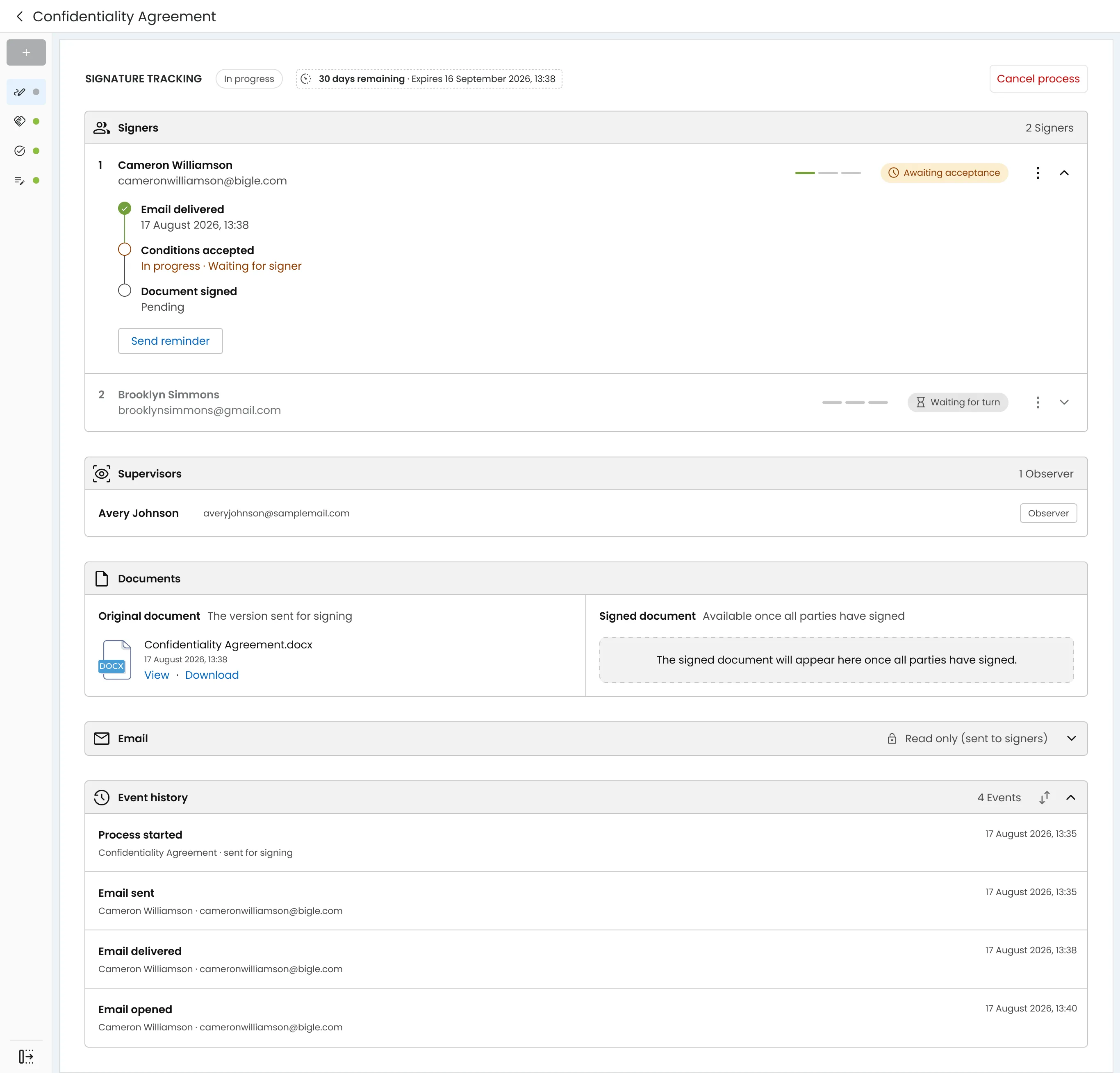
Signature tracking — per-signer progress, observers and a full event history
The evolution of Bigle Sign answered two business needs identified during the process.
Adoption among existing clients
As an add-on module, Bigle Sign could be contracted independently. After the Phase 3 improvements, 70% of clients already using Bigle Legal had also adopted the signature module — evidence that the product's evolution answered real needs in their document processes.
Conversion of new opportunities
Sales feedback showed a drop in opportunities when companies realised the platform lacked a signature solution. After the evolution of Bigle Sign, conversion at this stage went from 10% to 40% — a +30 percentage-point increase.
Digitising a physical process isn't about replicating it literally.
With no consolidated digital reference to start from, I had to analyse how a signature was traditionally done in person and decide which elements to keep, simplify or transform to create a clear, functional digital experience.
Cross-department communication surfaces relevant opportunities.
Collaborating with Sales, Customer Success and Legal Intelligence helped identify the need to bring a signature solution into the product in the first place.
Shared feedback lets you expand a feature with intent.
Input from the different departments revealed new use cases and helped prioritise improvements that were genuinely useful for different types of clients.
Product decisions improve when they combine different perspectives.
Working alongside the Product Owner and the CTO made it possible to build a balanced roadmap — weighing user needs, technical feasibility and product goals together.